10) Catering & Events (Requests)
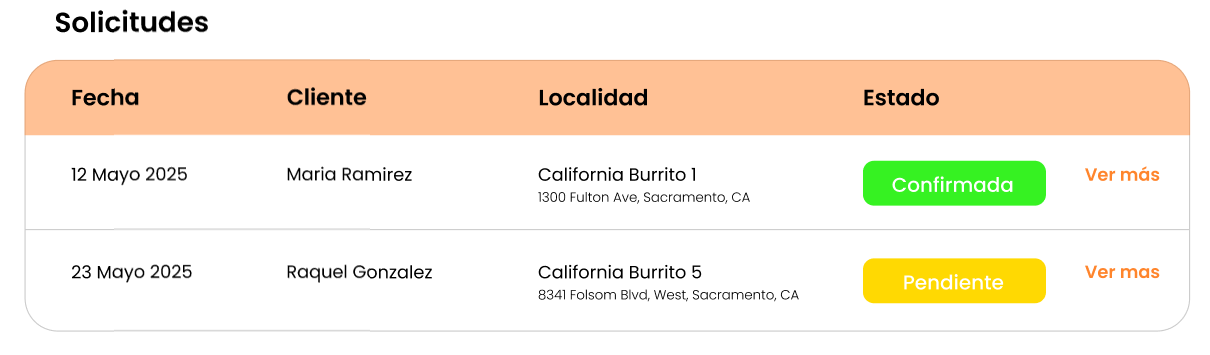
Screen: Requests table with filters by Status and Date Range, columns (Date, Customer, Location, Status), and a “View more” button.

Objective
Manage requests submitted from the app.
Steps
-
Go to Catering & Events.

-
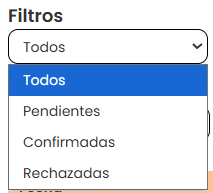
Filter by:
-
Status (e.g., Pending/Confirmed/Rejected)
-
Date range

-
-
Find the request in the table.
-
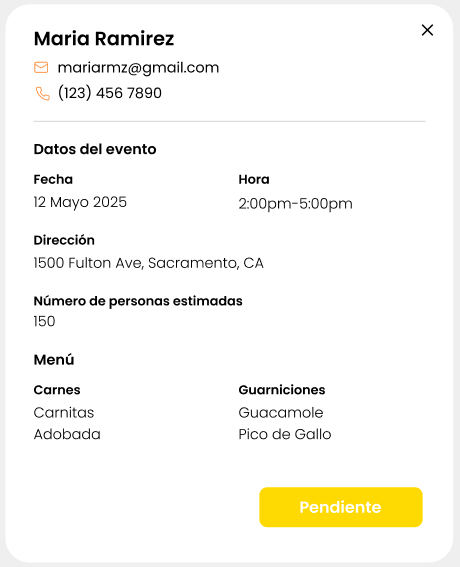
Click View more to see details.